
Searching the Mineola Court Docket
For a city citation, go straight to the Mineola Municipal Online Services search. The portal offers several search tabs. A citation number helps, but you can work without one. Type details exactly as they appear on the ticket. Remember that the site covers municipal violations and payments. A Wood County case involving a Mineola resident does not automatically show up there.
Match the search to the court named on your paperwork. A ticket routed to Justice Court Precinct 2 needs the county route instead. Felonies or larger civil cases belong to a trial court. That one habit keeps you out of the wrong database.
- Read the court name and appearance date.
- Open the Mineola portal for a municipal citation.
- Select the tab matching the facts in hand.
- Compare citation, violation, status, and date.
- Call the clerk if the result is unclear.
Mineola Docket Search Tabs
Mineola lets you search a few different ways. Pick citation number plus birth date, driver license number with state and birth date, Social Security number and birth date, license plate and state, first name with last name and birth date, or a business name. These tabs are alternatives. You never need every field at once.
| Mode | Fields | Use |
|---|---|---|
| Citation | Number, birth date | Ticket in hand |
| Name | First, last, birth date | No number |
| License | DL, state, birth date | Personal citation |
| Vehicle | Plate, state | Vehicle match |
| Business | Business name | Entity case |
The visible Search form works without any sign-in. Sign In and Register are separate, optional choices. Enter sensitive details only on the verified city-linked address.
Mineola Municipal Court Basics
The City of Mineola lists Kyle Waggoner as municipal judge. Felicia Condry serves as court clerk. The court sits at 300 Greenville Avenue, Mineola, Texas 75773, and answers at 903-569-6603. City Hall keeps its doors open Monday through Thursday, 8 a.m. to 4:30 p.m. Friday hours run 8 a.m. to 4 p.m.
This court hears city ordinance violations plus fine-only traffic and criminal matters inside its jurisdiction. District Court felonies, County Court misdemeanors, and JP2 cases live elsewhere. The city's own page confirms the point. Mineola runs a municipal office separate from the county's.
The city's official page names the judge and clerk. It also confirms Mineola's municipal court as its own distinct office.
The image helps distinguish the city clerk from Wood County clerks.
Mineola Docket Login Myth
You can open the citation form without registering. The sign-in option is not a public-search requirement, so skip it. Choose a tab, fill in its listed fields, and press Search.
Portal limit: A Mineola case and payment screen is not a certified docket or filed document.
Mineola publishes no full docket export, calendar archive, city copy form, or municipal fee schedule. Ask the court clerk directly about copies, cost, and delivery. County fees do not apply here.
Court Dates and Settings in Mineola
A portal result can point you to a status or a date. The citation itself still carries your appearance deadline. Check for the newest setting before you show up. Also remember that a payment screen does not prove a hearing came off the docket, and a transaction record is not the docket itself.
| Date | Current appearance or hearing date. |
|---|---|
| Time | Listed reporting time. |
| Court | Mineola Municipal Court or other named venue. |
| Case ID | Citation or case number. |
| Status | Current state, subject to clerk confirmation. |
If the portal and your notice disagree, call 903-569-6603 with the citation number handy. Never let an older screen override a changed setting.
Mineola Court Contact Channels
The court number is not the same as the City Hall general line, 903-569-6183. For anything tied to the portal, the Mineola court contact page is the direct route. Use it when a search comes up empty. It also works for confirming a date. Record copies come through it too. That page also keeps court service separate from a payment transaction.
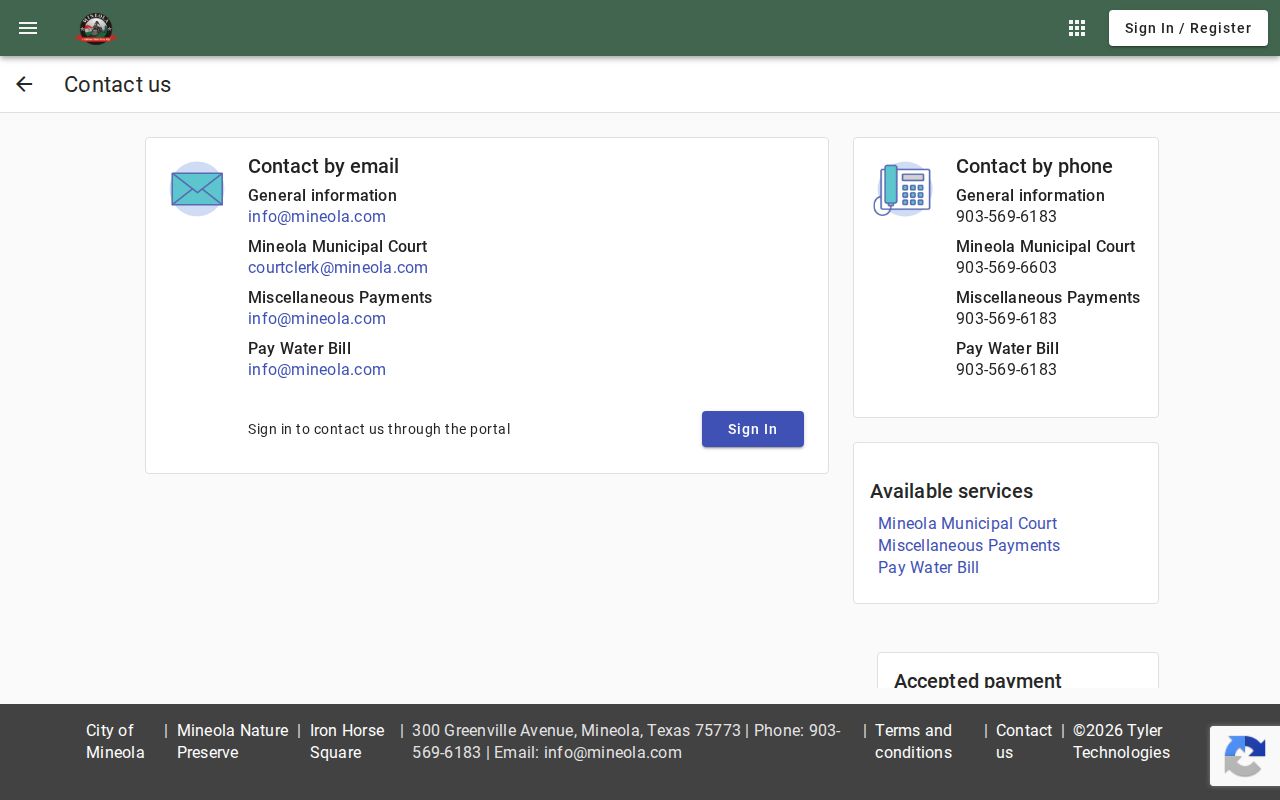
This contact view gives Mineola users a fallback. No need to send a city citation to a county clerk.
Traffic Tickets in Mineola
A citation filed in Mineola Municipal Court belongs in the city portal. You will find its search tabs on the official service itself.
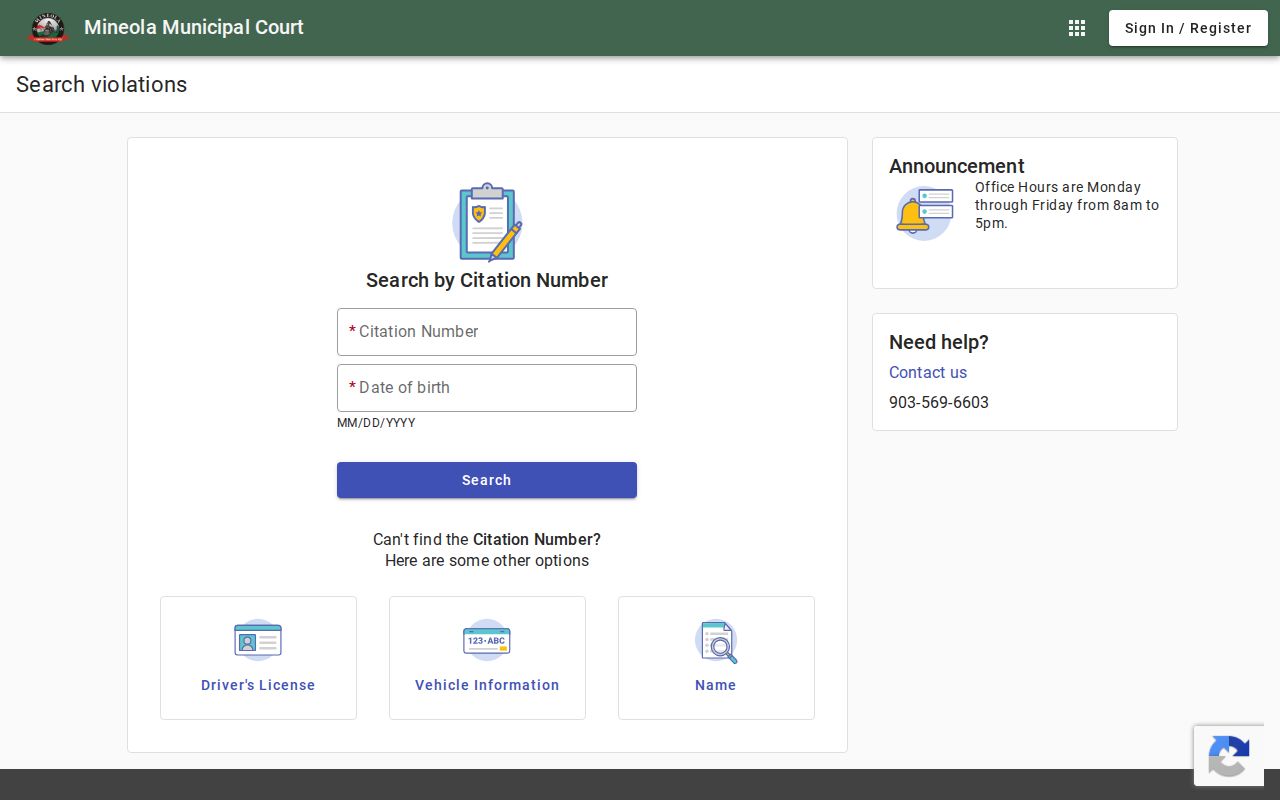
The screen displays several identifiers. It cannot turn a JP2 ticket into a city case.
A county precinct ticket may belong to JP2 at 716 North Greenville Highway, phone 903-569-3802. The county payment code is 3128375. Follow the exact court name on your paperwork. See Wood County traffic tickets for the county-wide distinction.
Mineola Ticket or JP2 Case
Mineola has two nearby but separate channels. Municipal Court holds city ordinance and city traffic matters. JP2 takes the fine-only criminal, traffic, and civil work assigned to the precinct. The two offices do not share one docket.
| Clue | Municipal | JP2 |
|---|---|---|
| Court | Mineola Municipal | Justice Precinct 2 |
| Search | City portal | County inquiry |
| Phone | 903-569-6603 | 903-569-3802 |
| Source | City violation | Precinct citation |
If no city match appears, reread the citation. A missing result is not proof of dismissal.
Where Mineola Cases Go
A municipal case stays with the city unless an appeal happens. Texas structure generally sends an appeal from a non-record municipal or Justice Court to a new trial at the proper county level. Verify deadlines and routing with the clerk.
Docket flow: Mineola Municipal Court › Wood County Courts › 402nd Judicial District Court
Not every case climbs all three tiers. Felonies and larger civil matters start in their assigned county court, so use the Wood County court docket whenever the notice names a county venue.
Mineola Docket Scale
The 2020 Census counted 4,823 Mineola residents, the largest incorporated-place count in Wood County's city ranking. That figure is not a docket total. The city publishes no official annual municipal caseload, so skip population math when guessing at filings.
The lesson stays local: the court name beats the city name every time.
Mineola Court Record Access Rules
Ask Mineola's court custodian for any municipal record. Provide the citation number, your name, the document you want, and the copy type. Mineola posts no city copy fee page, so confirm method, price, and timing with the clerk.
Access rules:
Texas Rule of Judicial Administration 12 addresses judicial records.
Texas Judiciary policy distinguishes judicial records from ordinary agency records.
Texas Public Information Act applies to many government records, while the item's character and custodian determine the court route.
Sealed material and protected identifiers are not released just because a public row exists.
Missing Mineola Docket Records
A blank result is not the end. Check the spelling, the birth date, the citation digits, and the court name. Confirm the case actually belongs to JP2. Then call the Mineola clerk or visit during posted hours. A city request stays with the municipal office. It moves only if that office points you to a different venue.
When you do not know the document title, just ask the clerk for a docket or case summary. Once an event shows up, request the filed order, judgment, or notice by its date. Keep payment questions and docket questions apart, since a payment record does not show every event.
Note: Ask the city court directly about copy charges. Mineola publishes no official municipal fee schedule.
Verify a Mineola Docket Result
A name alone proves nothing. A solid match on a Mineola docket search lines up several fields at once. Check the Mineola court name first. Match the citation number and the violation description. Add the birth date if the screen asks for it, and the current setting. If even one of those clashes with the paper notice, stop. Let the municipal clerk confirm the record before you act on it. Remember what the city portal is built for. It handles citations and payments. It is not a full file of motions and signed orders. Ask the clerk for a copy whenever exact legal text matters. Describe the document narrowly, too. Want a signed judgment? A narrow request gets answered faster than a vague one. The same goes for a current setting notice rather than the first date on an old citation. If the clerk cannot pin down the case, ask which extra field would help. And never send a Social Security number, license number, or full birth date through an unverified email or a general web form.
Order matters when a lookup stalls. Run the Mineola search once with your best identifier, check that the court name matches, then call the municipal clerk. Only move on to JP2 or Wood County Odyssey when the citation itself points that way. Sweeping the same name across unrelated courts invites false matches. A cause number, a citation number, an event date, and a named venue confirm far more. When the screen shows a status but no document image, write down the event title and date so your copy request is precise. Mineola staff can explain their current request methods, office access, and the status shown in their own system. They cannot turn an old saved screen into a hearing notice. If your address changed, ask how to update it. For a counter visit, bring the citation. Bring a clear list of the records you want. Ask about identification, prepayment, or a return trip before you leave.
Keep a Mineola search tied to a Mineola source. The portal identifies city citations, and the clerk confirms the current municipal record. A Mineola resident can still have a case sitting outside Mineola Municipal Court. A Mineola address does not turn a JP2 citation into a city citation. A traffic stop inside the city limits tells you nothing without the court name. So check the notice first. If it names Mineola Municipal Court, use the Mineola portal and the Mineola court phone. If it names JP2, follow that precinct route instead. That one check helps. It keeps your request from landing in the wrong office.
Finally, keep the paper trail tidy. Order every Mineola document by date: citation first, then portal results, clerk replies, receipts, and setting notices. On a call, give the case or citation number before anything else. At Mineola City Hall, ask for the municipal court clerk rather than a general city department. A clean record trail makes resets easy to spot. It helps you confirm a payment. It also names the exact order you still need from Mineola Municipal Court.